
Prepare first, then start sharing
Short answer: use Blur only for non-sensitive visual de-emphasis. Use Redact for private information, verify the exact window being shared, and pause sharing during every reload or navigation.
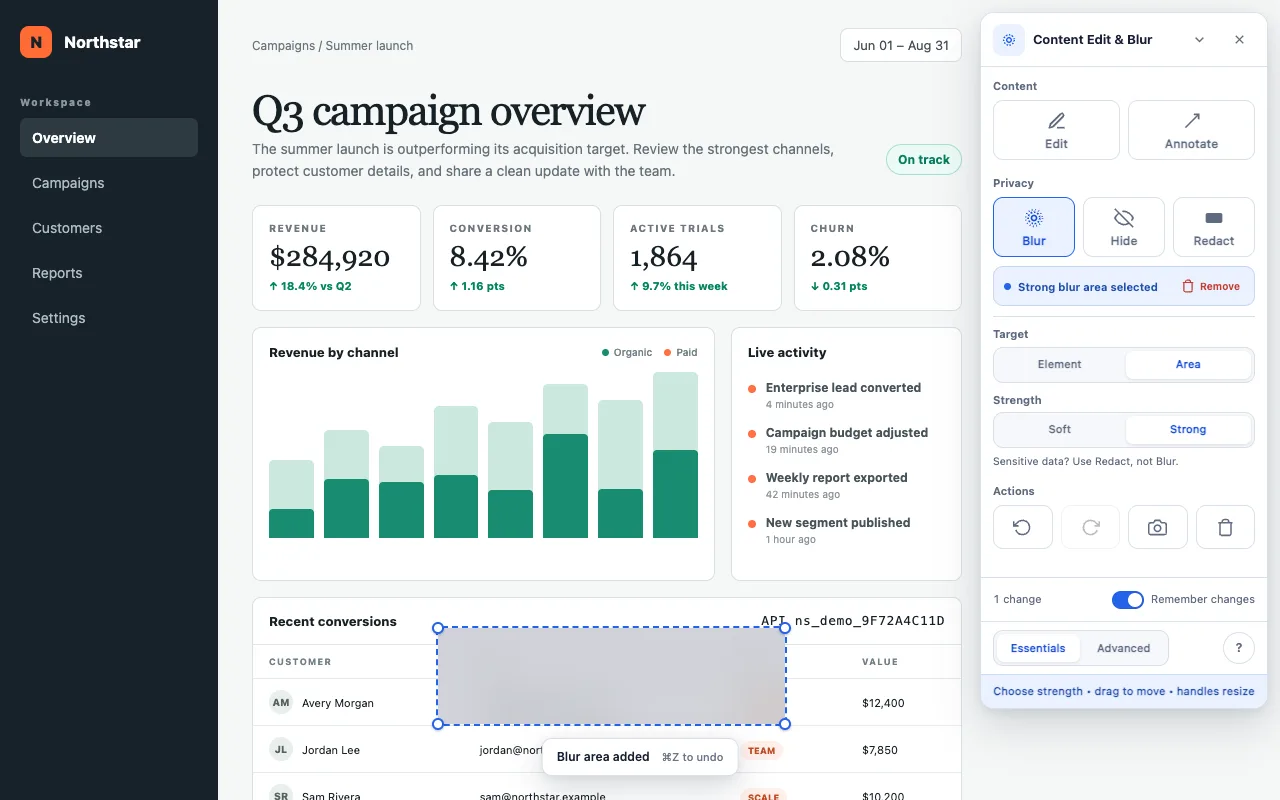
Content Edit & Blur changes the webpage in your browser. It does not detect when Zoom, Google Meet, Microsoft Teams or a recorder starts sharing. Open the page and prepare it before the audience can see it.
A saved page or site rule can restore a setup after a reload, but the original content may appear before restoration completes. Treat saved rules as a convenience rather than a confidentiality control.
A repeatable screen-share workflow
Open the exact page you will present
Use the same account, route, filters and viewport that the audience will see. Dynamic dashboards can reveal different values after navigation or refresh.
Choose the safe effect
Use Blur only for non-sensitive content that should recede. Use Redact for private data. Both support Element or Area targets; Hide removes a whole element.
Set the right scope
In Advanced, keep a rule on This page when its position or meaning is route-specific. Use Whole site only when the same element should be affected across one origin.
Review every transition
Open menus, switch tabs inside the app, scroll, and trigger the states you plan to demonstrate. Add rules for values that appear only after interaction.
Share the intended surface
Prefer sharing the browser tab or window you prepared instead of the entire desktop. Confirm the preview before admitting viewers or starting a recording.
Blur is a presentation aid, not secure deletion
Blurred pixels remain in a screenshot. Use Redact whenever information is sensitive, regardless of whether the audience is internal or external. Redaction protects the captured visual; it does not delete the source value from the webpage.
Browser chrome is separate: webpage effects cannot cover the browser's address bar, tab title, bookmarks or operating-system notifications. Close or sanitize those surfaces before sharing your whole screen.
- Pause sharing before every reload, navigation or unprepared state.
- Keep notifications and password-manager overlays out of view.
- Recheck rules after a page redesign or layout change.
- Clear session-only effects when the presentation is finished.
Prepare the page before the call.
Free, with no paid features or account. Optional sponsorship unlocks nothing.